

 Platform
 W&B Models
 W&B Weave
 W&B Inference
 W&B Training
 Release Notes
Are you looking for information on W&B Weave? See the Weave Python SDK quickstart or Weave TypeScript SDK quickstart.
Sign up and create an API key
To authenticate your machine with W&B, you need an API key. To create an API key, select the Personal API key or Service Account API key tab for details.- Personal API key
- Service account API key
To create a personal API key owned by your user ID:
- Navigate to User Settings and log in if necessary.
- Click Create new API key.
- Provide a descriptive name for your API key.
- Click Create.
- Copy the displayed API key immediately and store it securely.
Install the wandb library and log in
- Command Line
- Python
- Python notebook
-
Set the
WANDB_API_KEYenvironment variable. -
Install the
wandblibrary and log in.
Initialize a run and track hyperparameters
In your Python script or notebook, initialize a W&B run object withwandb.init(). Use a dictionary for the config parameter
to specify hyperparameter names and values. Within the with statement, you can log metrics and other information to W&B.
A run is a core element of W&B. You use runs to track metrics, create logs, track artifacts, and more.
Create a machine learning training experiment
This mock training script logs simulated accuracy and loss metrics to W&B. Copy and paste the following code into a Python script or notebook cell and run it: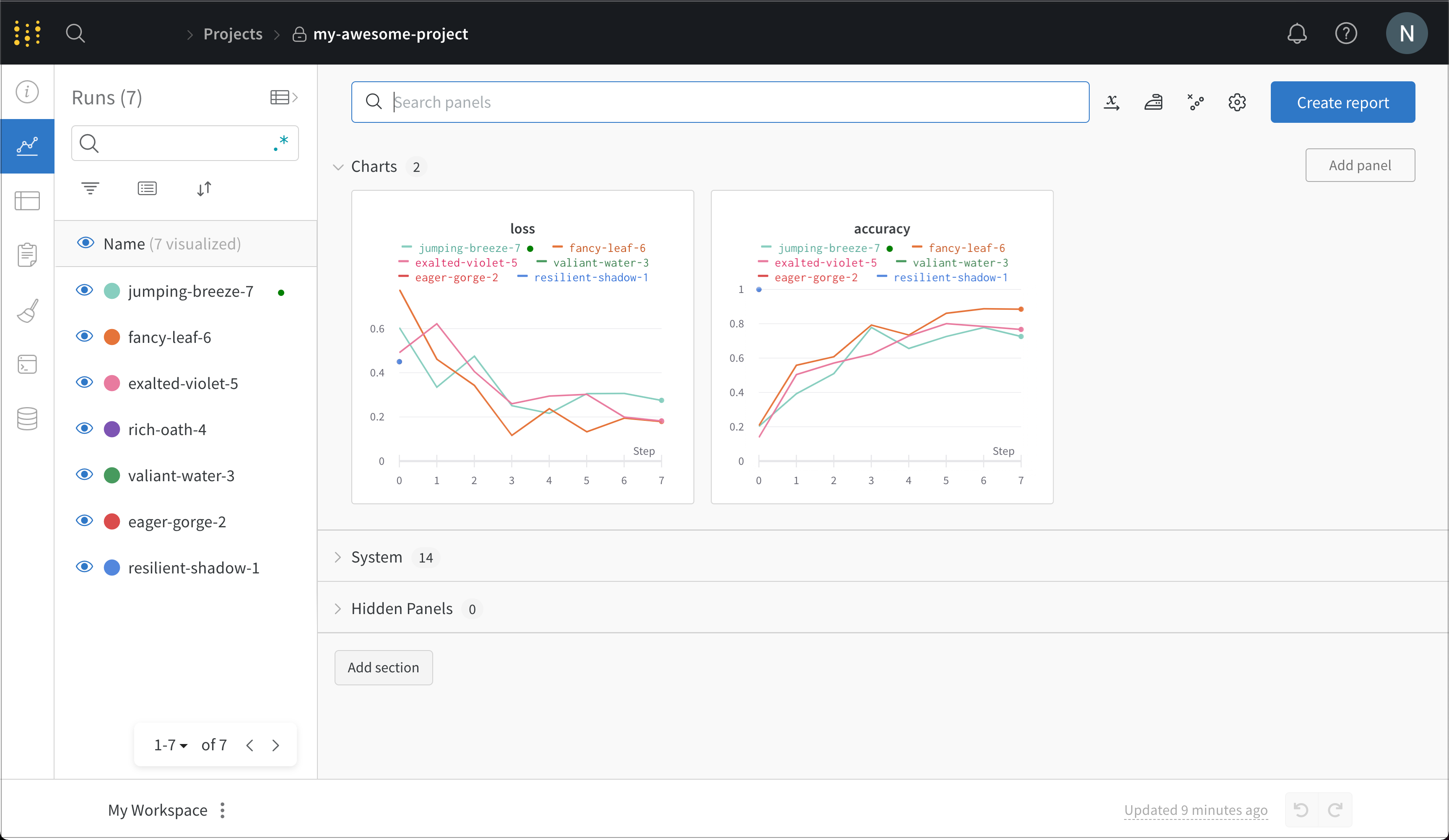
Next steps
Explore more features of the W&B ecosystem:- Read the W&B Integration tutorials that combine W&B with frameworks like PyTorch, libraries like Hugging Face, and services like SageMaker.
- Organize runs, automate visualizations, summarize findings, and share updates with collaborators using W&B Reports.
- Create W&B Artifacts to track datasets, models, dependencies, and results throughout your machine learning pipeline.
- Automate hyperparameter searches and optimize models with W&B Sweeps.
- Analyze runs, visualize model predictions, and share insights on a central dashboard.
- Visit W&B AI Academy to learn about LLMs, MLOps, and W&B Models through hands-on courses.
- Visit weave-docs.wandb.ai to learn how to track track, experiment with, evaluate, deploy, and improve your LLM-based applications using Weave.